
Documentation Index
Fetch the complete documentation index at: https://docs.monk.com/llms.txt
Use this file to discover all available pages before exploring further.
Create your first Plan
This guide walks you through creating a plan that combines fixed fees with usage-based pricing.What are plans? Plans are pricing templates that bundle together fees,
usage pricing, and billing terms. Learn more about plans →
Prerequisites
- A Monk account with dashboard access
- At least one meter created
Steps
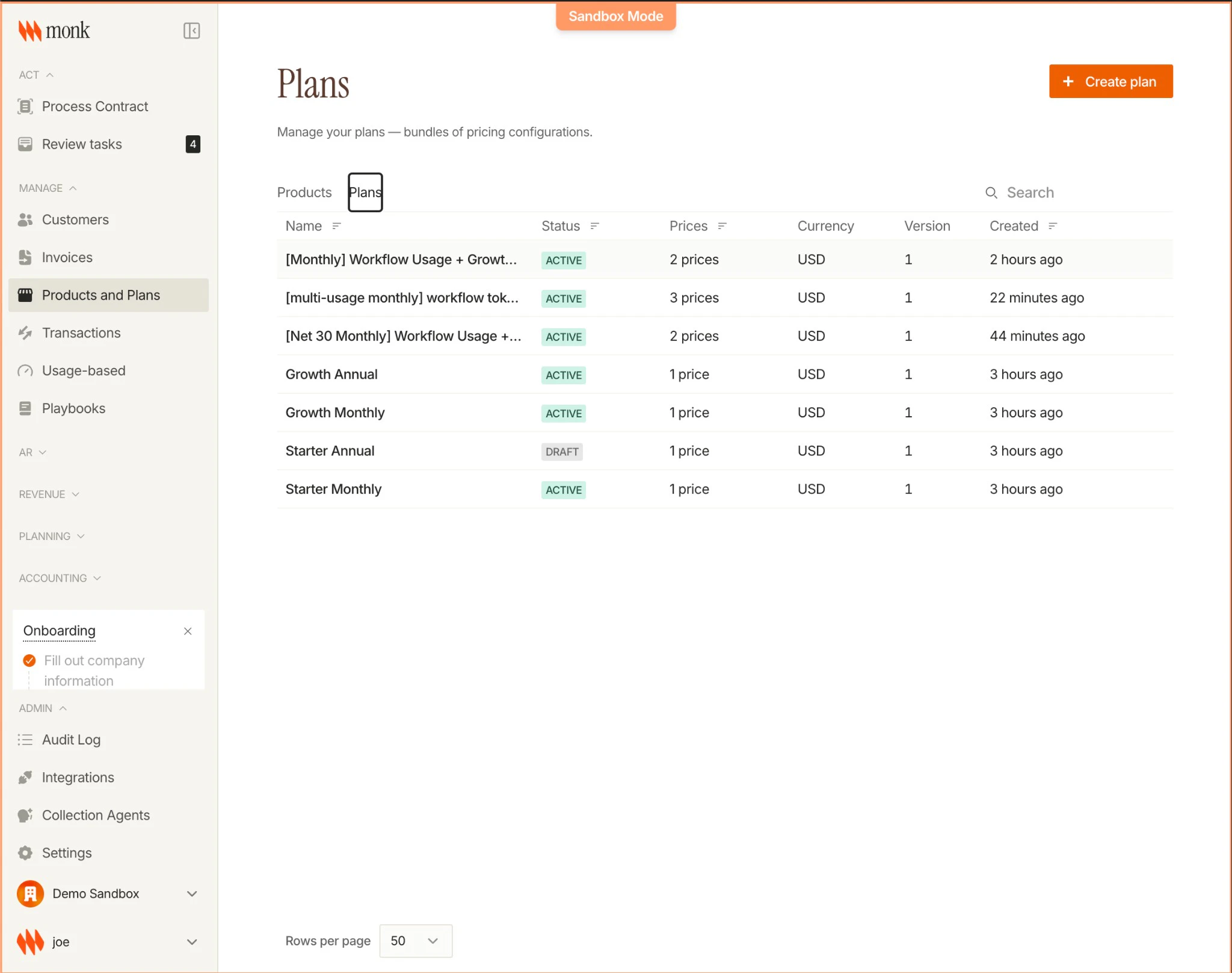
1. Navigate to Plans
- Open your Monk dashboard
- Click Products in the navigation
- Select Plans
2. Create the Plan
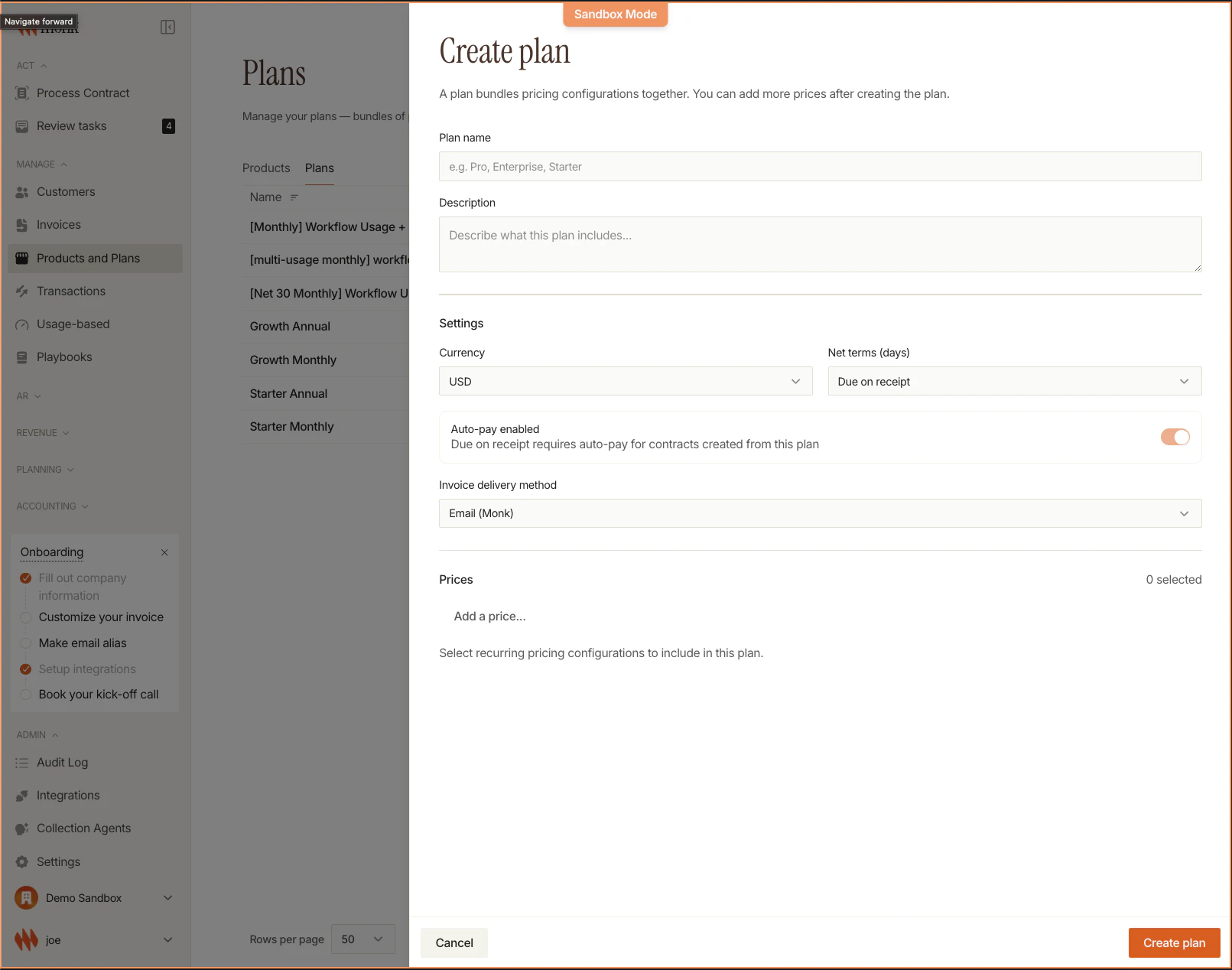
Click Create Plan and fill in the basics:| Field | Value | Notes |
|---|---|---|
| Name | Pro | Customer-facing name |
| Currency | USD | Cannot change after creation |
| Net Terms | Due on receipt | Required for auto-pay |
| Auto-Pay Default | Enabled | Only appears with Net 0 |
3. Add Fixed Fee
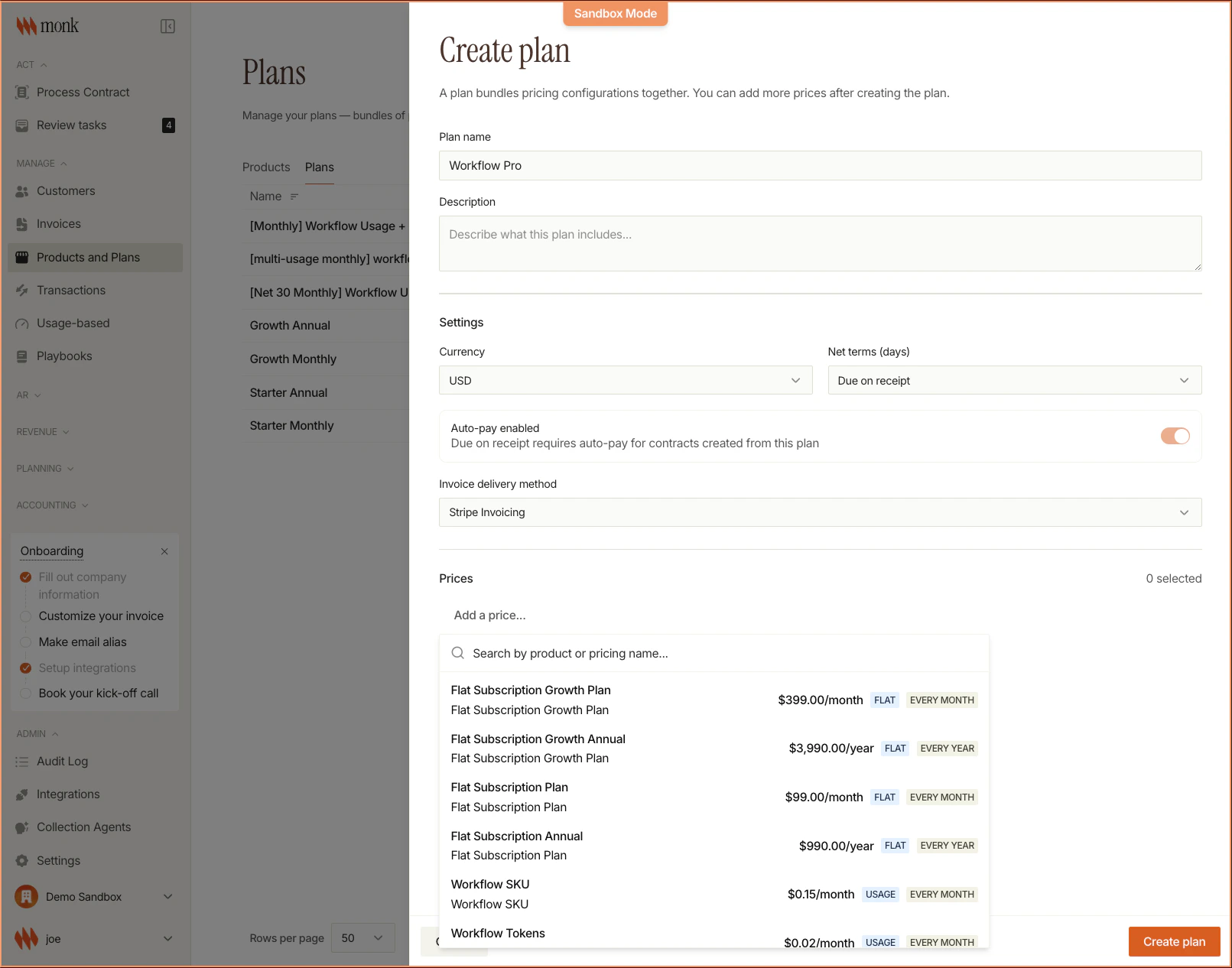
- Click Add Pricing Item
- Select Fixed Charge
- Configure:
- Name: Monthly Subscription
- Amount: $50.00
- Frequency: Monthly
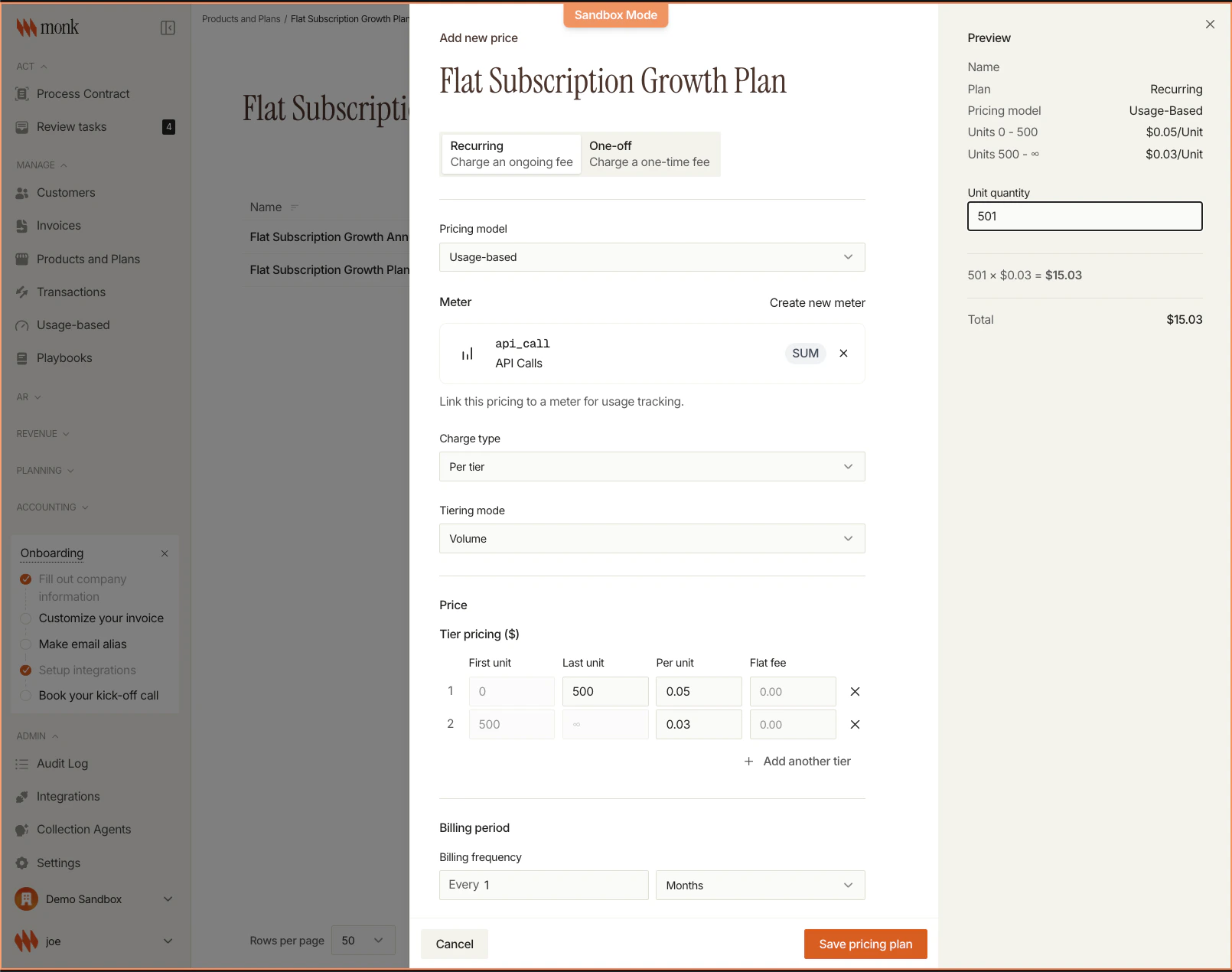
4. Add Usage Pricing
- Click Add Pricing Item again
- Select Usage-Based
- Configure:
- Meter: API Calls (from your meter)
- Rate: $0.10 per call
5. Save
Click Save. Your plan is ready to use in contracts.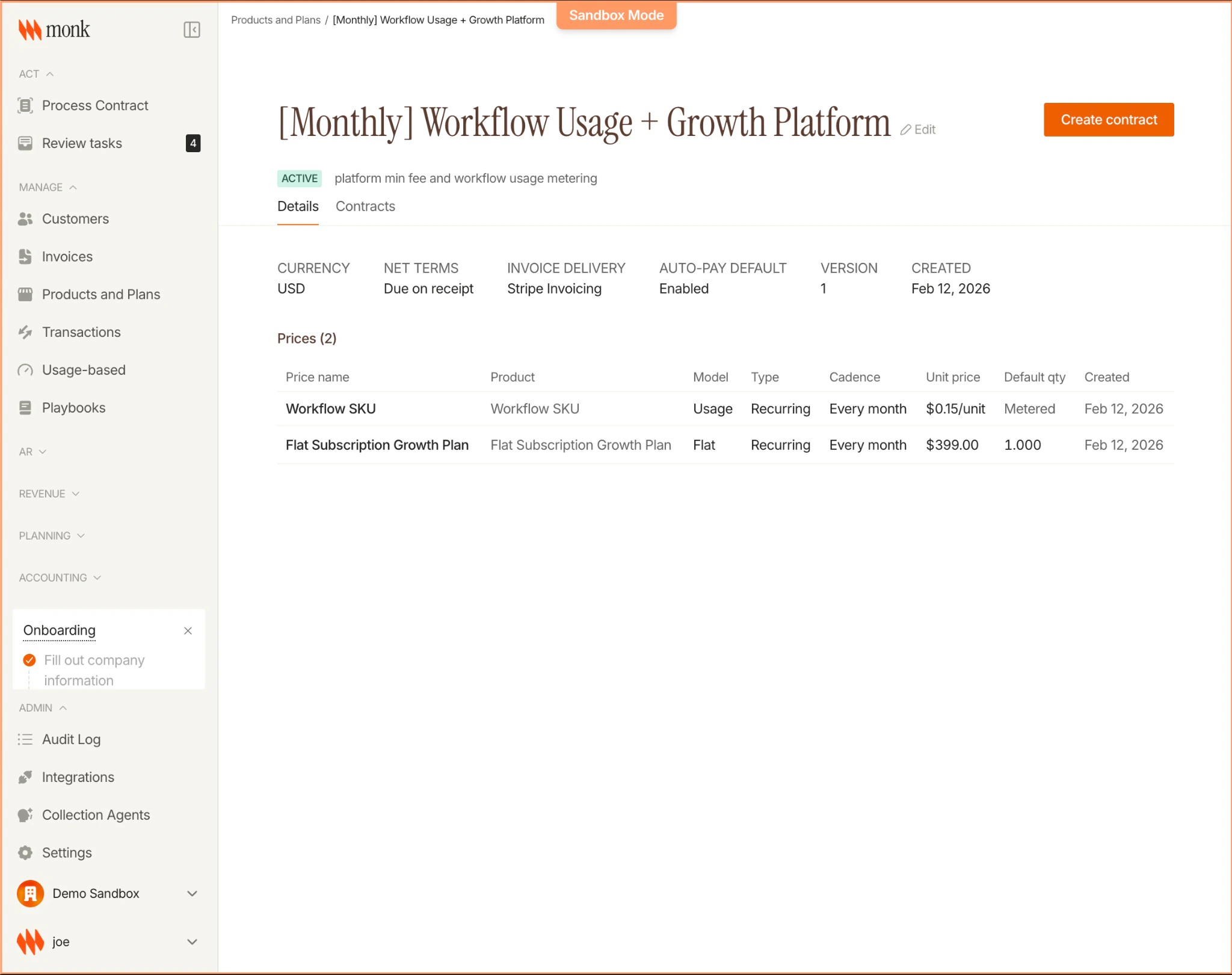
Example: Free Tier with Usage Limits
Create a plan with included free usage:| Field | Value |
|---|---|
| Name | Free |
| Base Fee | $0 |
| Usage | API Calls with tiered pricing: |
| - 0 to 1,000: $0.00 (free) | |
| - 1,001+: $0.10 per call |
Next Steps
Plans Concepts
Learn about billing frequencies and plan patterns
Create a Contract
Subscribe a customer to your plan