
Documentation Index
Fetch the complete documentation index at: https://docs.monk.com/llms.txt
Use this file to discover all available pages before exploring further.
Grant your first Credit
This guide walks you through granting prepaid credits to a customer when creating their contract.What are prepaid credits? Prepaid credits let customers prepay for
usage-based charges. Credits are deducted automatically as usage accrues.
Learn more about credits →
Prerequisites
- A Monk account with dashboard access
- An existing customer
- A plan to assign to the contract
Steps
1. Start Creating a Contract
- Open your Monk dashboard
- Click Customers in the navigation
- Select the customer
- Click New Contract
- Select a plan and proceed to Commercial Terms
2. Enable the Credit Wallet
In the Commercial Terms step, check Enable credit wallet to grant prepaid credits.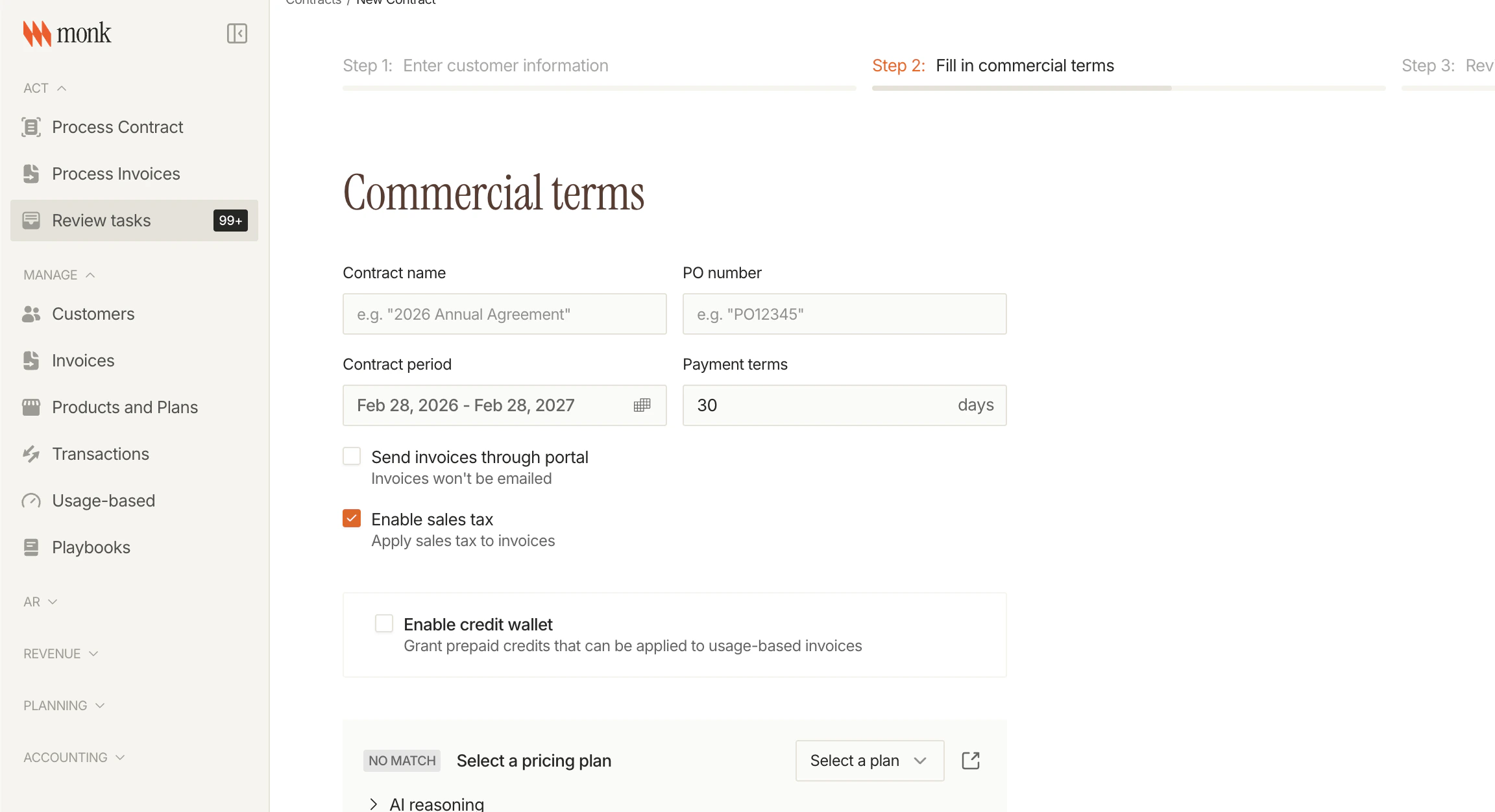
3. Choose Input Mode
Select how you want to specify the credit amount:| Mode | You Enter | Monk Calculates |
|---|---|---|
| Dollar amount | $500 | Credit units (based on rate) |
| Credit units | 1,000 credits | Dollar amount (based on rate) |
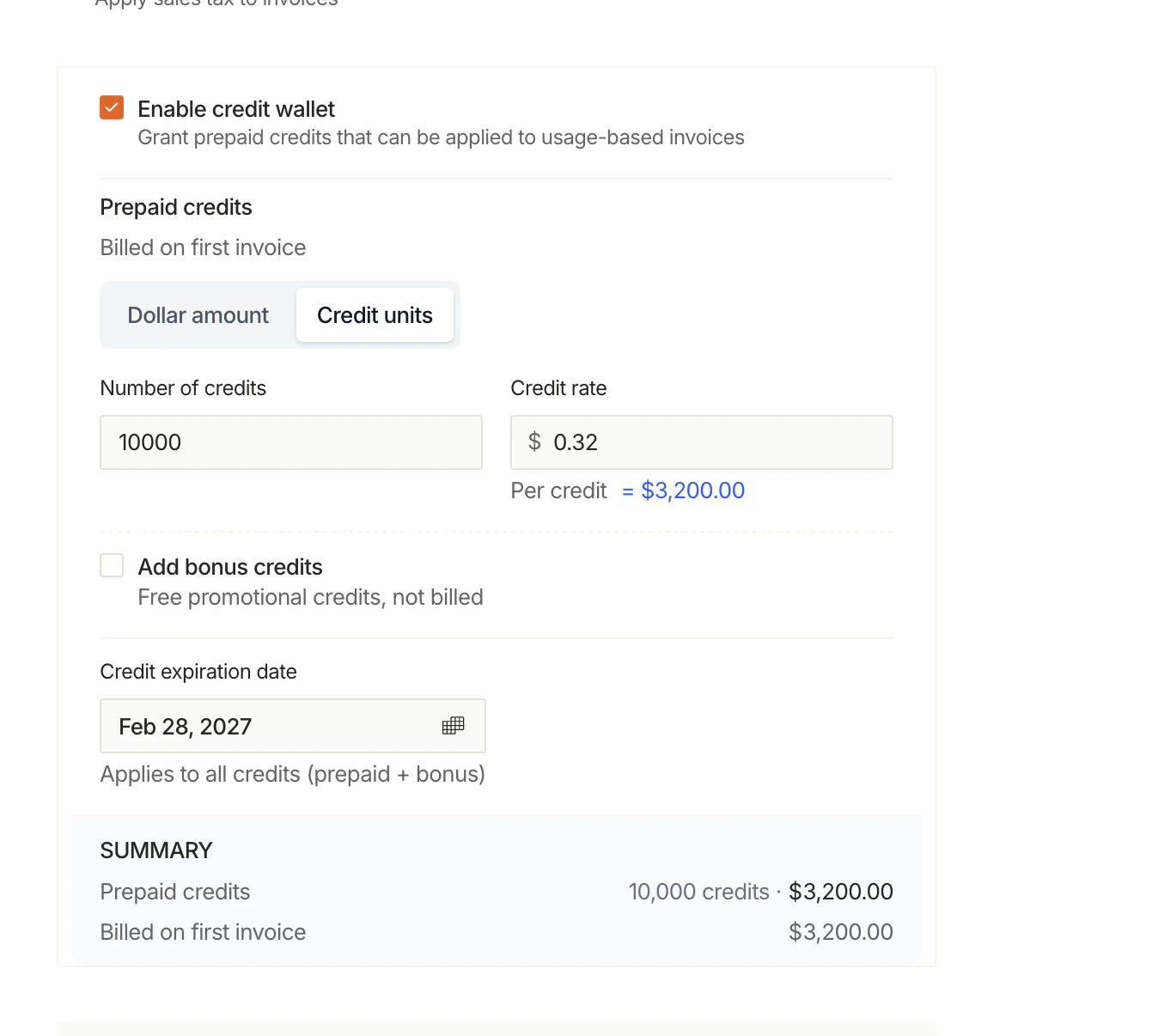
4. Configure Credit Amount
Enter the prepaid credit details:| Field | Example | Description |
|---|---|---|
| Number of credits | 1000 | Credit units to grant |
| Credit rate | $0.50 | Dollar value per credit unit |
| Calculated total | = $500.00 | Auto-calculated from credits × rate |
5. Add Bonus Credits (Optional)
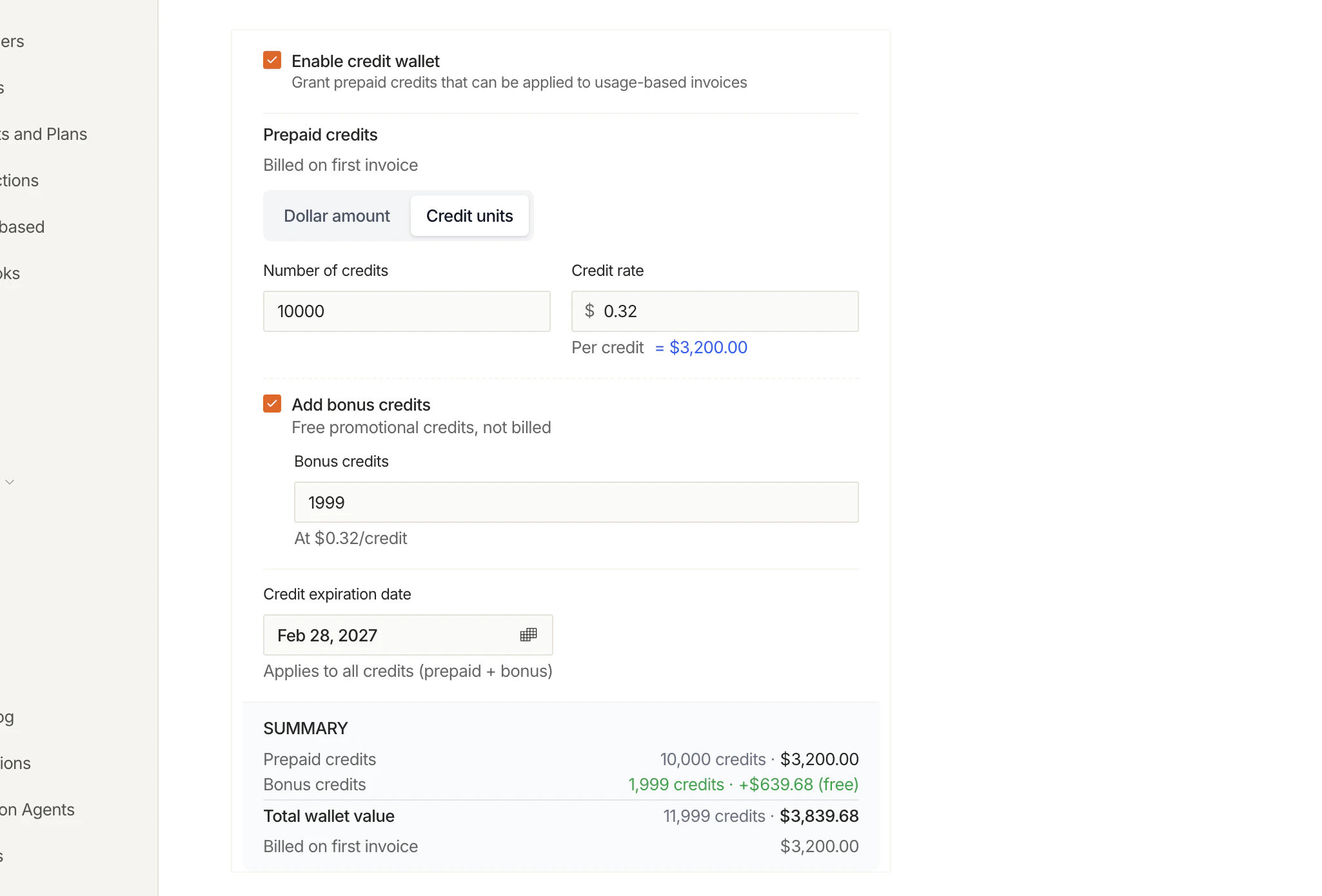
Check Add bonus credits to include free promotional credits:| Field | Example | Description |
|---|---|---|
| Bonus credits | 200 | Free credits (not billed) |
| Rate | At $0.50/credit | Same rate as prepaid credits |
| Value | +$100.00 (free) | Shown in green as bonus |
- Free — Not billed on the first invoice
- Promotional — Deducted before paid credits
- Same rate — Use the prepaid credit rate for tracking
6. Set Expiration Date (Optional)
Set a Credit expiration date if credits should expire:| Field | Example | Description |
|---|---|---|
| Expiration date | Feb 27, 2027 | When unused credits expire |
| Applies to | All credits | Both prepaid and bonus |
Expiration applies to both prepaid and bonus credits. When credits expire:
- An
expirationentry is created in the ledger - Paid credits generate breakage revenue - Promotional credits do not generate revenue
7. Review the Summary
The summary shows the total wallet value:| Line | Amount | Description |
|---|---|---|
| Prepaid credits | $500.00 | Billed on first invoice |
| Bonus credits | +$100.00 (free) | Not billed |
| Total wallet value | $600.00 | Credits available to customer |
| Billed on first invoice | $500.00 | What customer pays |
8. Complete the Contract
Click Create Contract to finalize. The customer will:- Receive an invoice for the prepaid credits ($500)
- Have $600 total credits available (prepaid + bonus)
- See credits deducted as they use your product
What Happens Next
Once the contract is created:- First invoice: Customer is billed for prepaid credits ($500 in example)
- Wallet active: $600 in credits available for usage
- Real-time deductions: As usage accrues, credits are automatically deducted in near-real-time
- Bonus first: Promotional credits are used before paid credits
- Expiration: If set, unused credits expire on the specified date
Understanding the Credit Wallet
After contract creation, view the credit wallet in the contract details: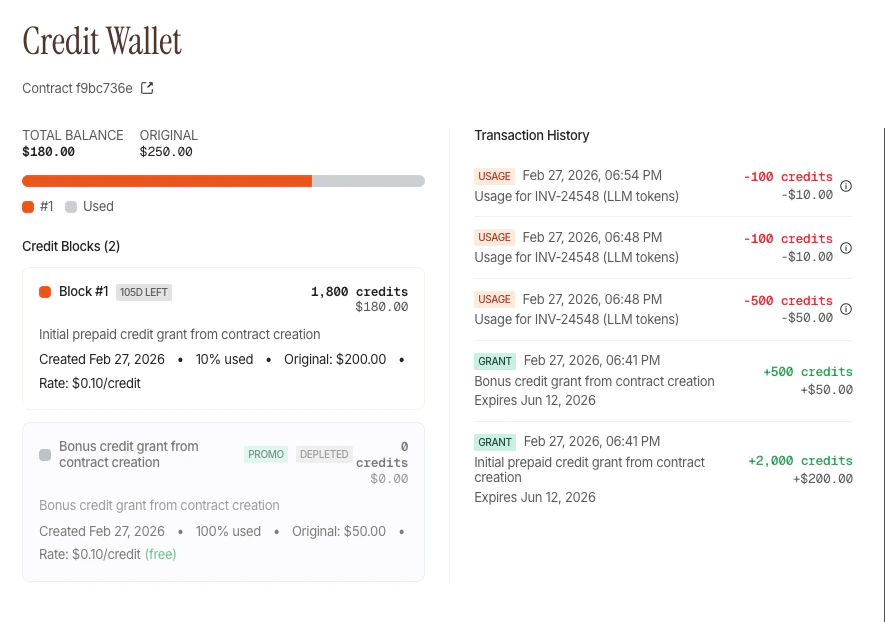
| Section | Description |
|---|---|
| Total Balance | Current remaining balance vs original amount |
| Credit Blocks | Individual grants with status (days left, depleted) |
| Transaction History | All entries: grants, usage, adjustments |
- Status badge —
PROMOfor promotional,DEPLETEDwhen fully used - Days left — Time until expiration (e.g., “105D LEFT”)
- Usage % — How much has been consumed
- Rate — Dollar value per credit (shows “free” for promotional)
Next Steps
Credits Concepts
Learn about deduction priority and expiration
Grant via API
Use
POST /v1/contracts/{contractId}/credits/promotional/grantMonitor Credits
Use balance + ledger credit endpoints
Promotional Credits
More on sign-up bonuses and referral rewards