
Documentation Index
Fetch the complete documentation index at: https://docs.monk.com/llms.txt
Use this file to discover all available pages before exploring further.
Set up Prepaid Credits
This guide walks you through implementing prepaid credits end-to-end: from enabling the wallet to monitoring depletion and handling expiration.When to use prepaid credits: Prepaid credits are ideal when customers want
to prepay for usage, you offer volume commitments, or you need to provide
promotional incentives.
Overview
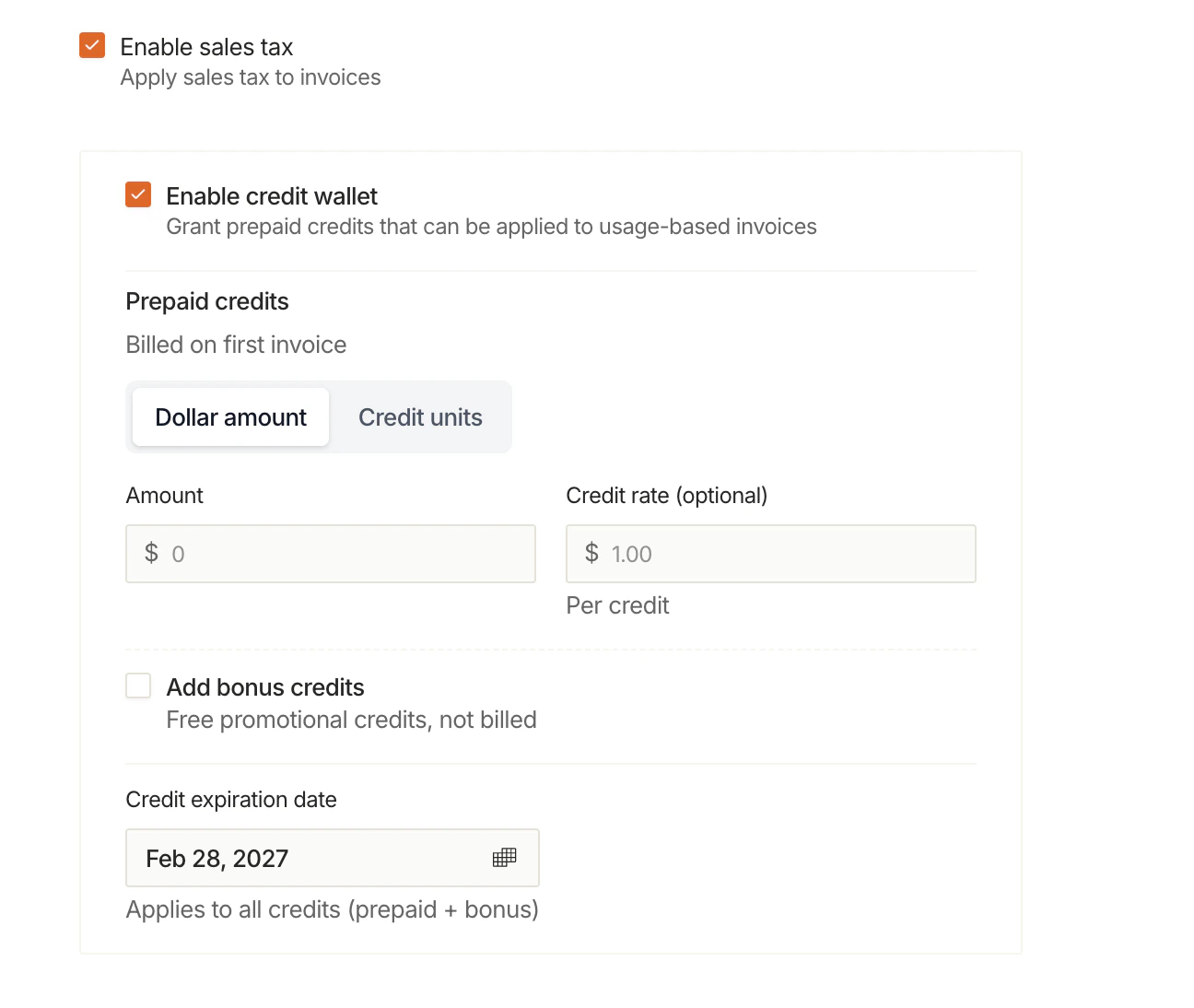
Prepaid credits follow this lifecycle:Step 1: Enable the Credit Wallet
The credit wallet is enabled automatically when you grant the first credit. You can do this via:- Dashboard: Grant your first credit
- API (promotional grants): Use
POST /v1/contracts/{contractId}/credits/promotional/grant - Contract creation: Include
creditGrantCentswhen creating a contract
Step 2: Configure Depletion Behavior
Choose what happens when credits run out:| Setting | Behavior |
|---|---|
| Auto Invoice | Invoice sent automatically at cycle end |
| Alert Only | Invoice held for manual review |
- Deduct all available credits
- Send Slack alert on depletion
- Allow usage to continue accruing
Step 3: Monitor Credit Usage
Real-Time Balance
Check the current balance and credit blocks via API:Alerts & Thresholds
Monk sends automatic alerts when your credit balance drops below configured thresholds:| Alert | When |
|---|---|
| Threshold Crossed | Balance drops below 25%, 10%, or custom levels |
| Wallet Depleted | Balance reaches $0 during billing cycle |
| Invoice Held | End of cycle with “Alert Only” mode |
Ledger History
View all credit activity:entries array shows every ledger entry:
Step 4: Handle Expiration (Optional)
If you set anexpiresAt date on grants:
What Happens at Expiration
- Nightly cron checks for expired grants
- Remaining balance is written off
- Expiration entry is created in the ledger
- Breakage revenue is recognized (paid credits only)
Example: Annual Commitment
- $40,000 expires
- An
expirationentry is created - Breakage revenue of $40,000 is recognized
Step 5: Review Invoice with Credits
When the billing cycle ends, the invoice shows:| Line Item | Amount |
|---|---|
| API Usage (10,000 calls) | $150.00 |
| Storage (50 GB) | $25.00 |
| Prepaid Credits Applied | -$100.00 |
| Total Due | $75.00 |
Best Practices
Set realistic expiration dates
Set realistic expiration dates
Give customers enough time to use their credits. Annual commitments
typically expire at year-end, quarterly at quarter-end.
Use promotional credits for incentives
Use promotional credits for incentives
Sign-up bonuses, referral rewards, and goodwill credits should be marked as
promotional. This ensures correct deduction priority and accounting.
Monitor depletion proactively
Monitor depletion proactively
Set up Slack alerts and check balances regularly. Consider reaching out to
customers before they run out to discuss top-ups.
Track credit units for customer clarity
Track credit units for customer clarity
If your pricing is complex, use credit units to give customers a simpler
view: “You have 500 credits remaining” vs “$160.00 remaining”.
Common Patterns
Meter-Scoped Grants
Restrict credits to specific meters when different products have different credit rates:specifiers (or with specifiers: null) act as catch-all grants that apply to all usage. See Meter-Scoped Grants for details.
Volume Commitment
Customer commits to $10,000/year in exchange for 15% discount:Monthly Promotional Top-Up
Automatically grant bonus credits at the start of each month:Hybrid: Base + Overage
Grant base credits, charge overage at a higher rate:- Grant monthly credits (e.g., $500)
- Configure plan with overage pricing
- Credits cover base usage
- Overage billed at standard rates
Next Steps
How Usage-Based Billing Works
See how credits fit into the full billing flow
Promotional Credits
Set up sign-up bonuses and referral programs
Credits API
Promotional grants and credit reporting endpoints
Enterprise Billing
Volume commitments and custom rates